A simple checkbook register app for iPhone, iPad and Mac.

Free download · Seven day trial · $9.99 once in the U.S. · No subscription
From the App Store
A few words from people using Simple Register.
“It is well designed and easy to use.”
“Support is Fantastic!”
“This is convenient, clean, neat and easy to use.”
Excerpts from U.S. App Store reviews. Rating checked .
Read the reviews on the App Store ↗
You record an Amazon order, then it ships separately and shows up as several charges. Simple Register lets you itemize those charges so you can match them against your statement.
No bank connections. No bank passwords. Just a register you control.
Already paid for the app? You should not have to pay again. Version 2.0.4 is available on the App Store with a correction for the issue that asked some paid owners to unlock again. Read the paid-owner update.
SIMPLE REGISTER 2.0 IS HERE · SEE WHAT'S NEWSay your $90 order appears on your statement as $24, $36 and $30. With an itemized entry, you can match the individual charges as they post, without recording the full order a second time.
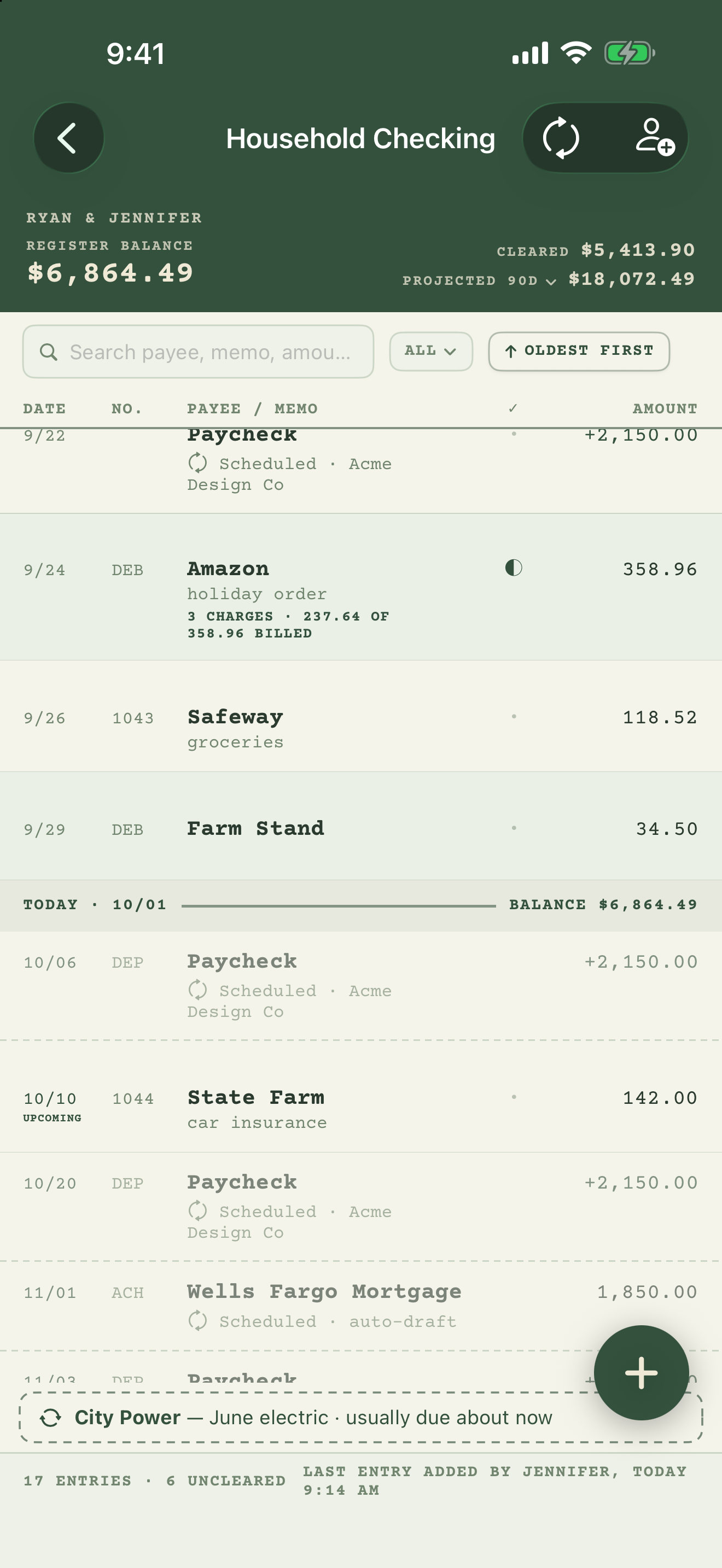
Start with the charges on your statement. Then see reconciliation, everyday entries and optional household sharing in the tour below.
Watch the 55 second tour of Simple Register on Mac.
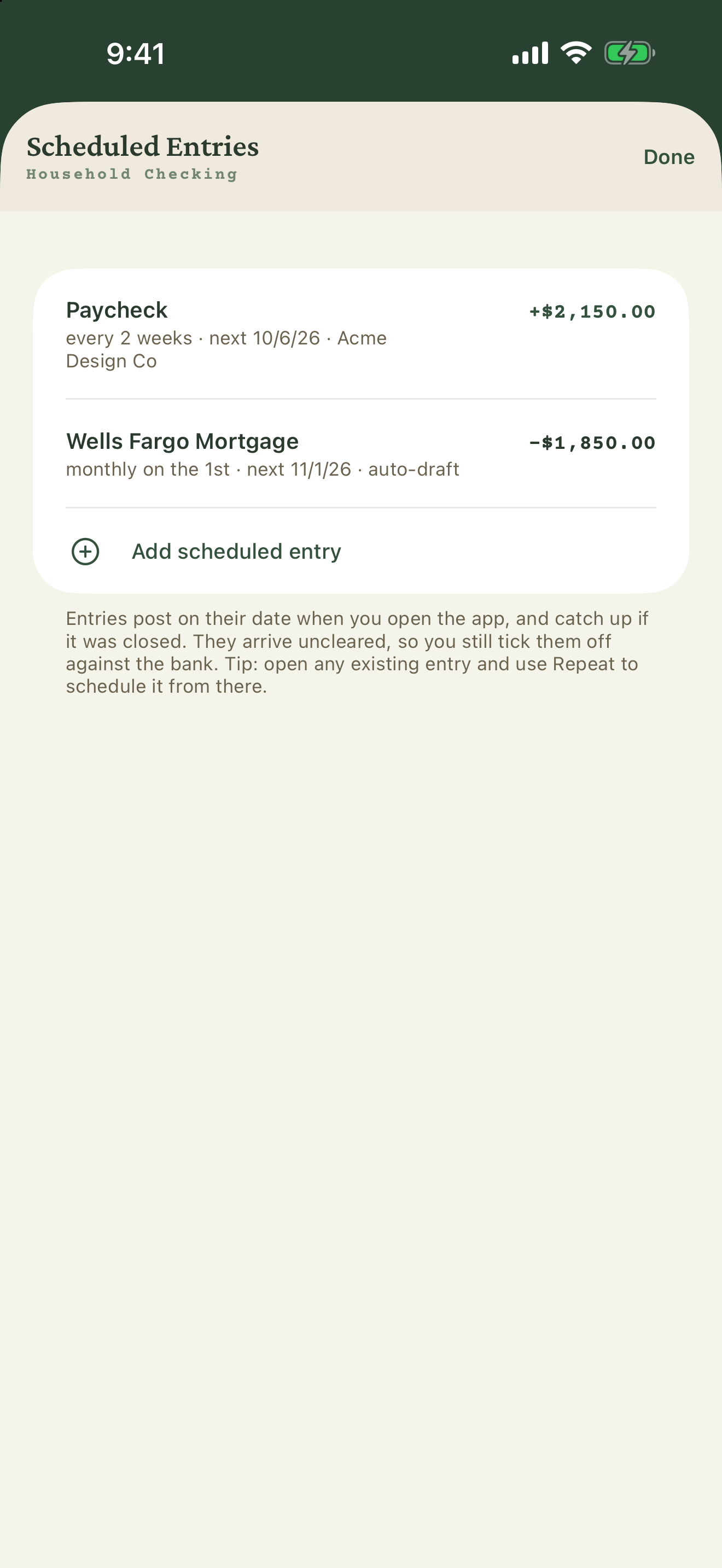
Set it once, see what's coming, and bring your history with you. Still a paper-style register. Still no subscription.
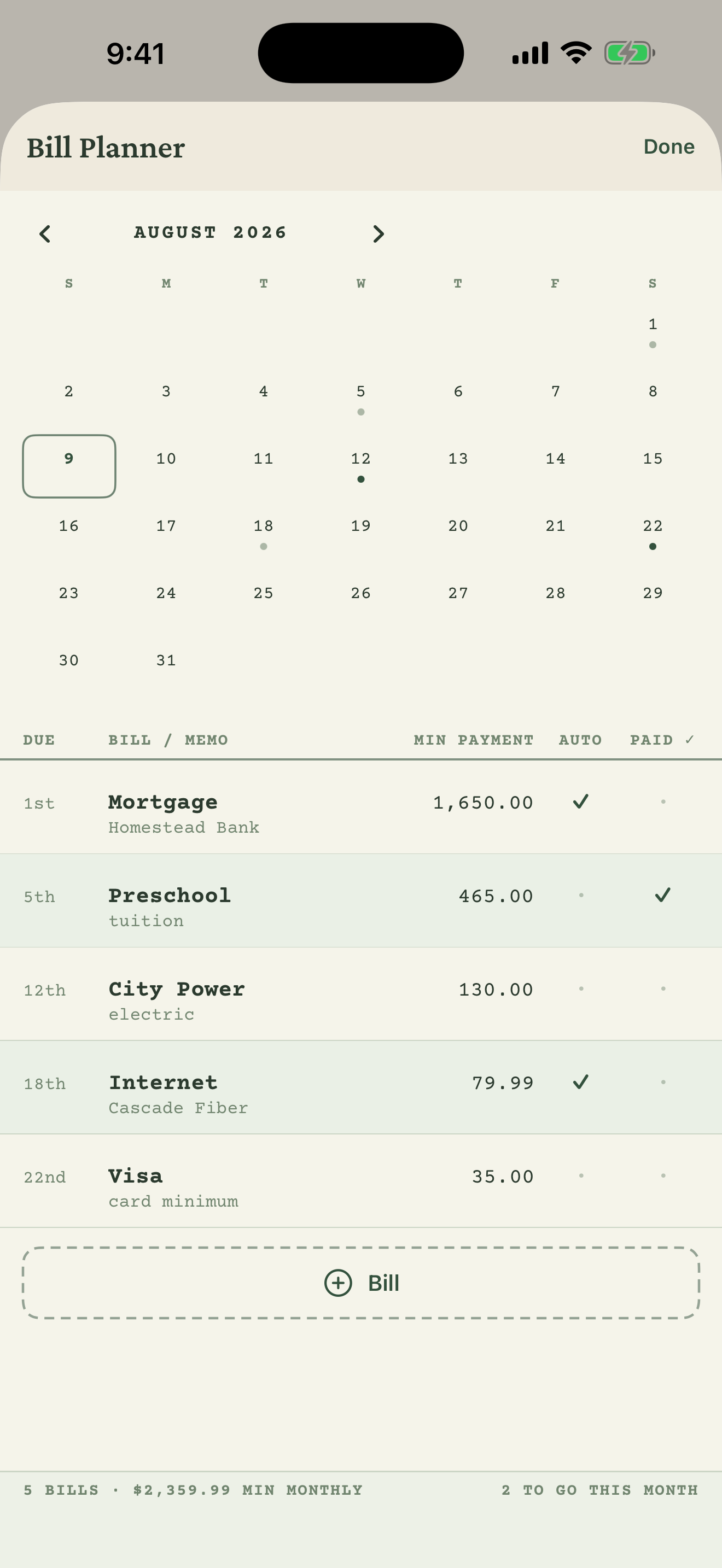
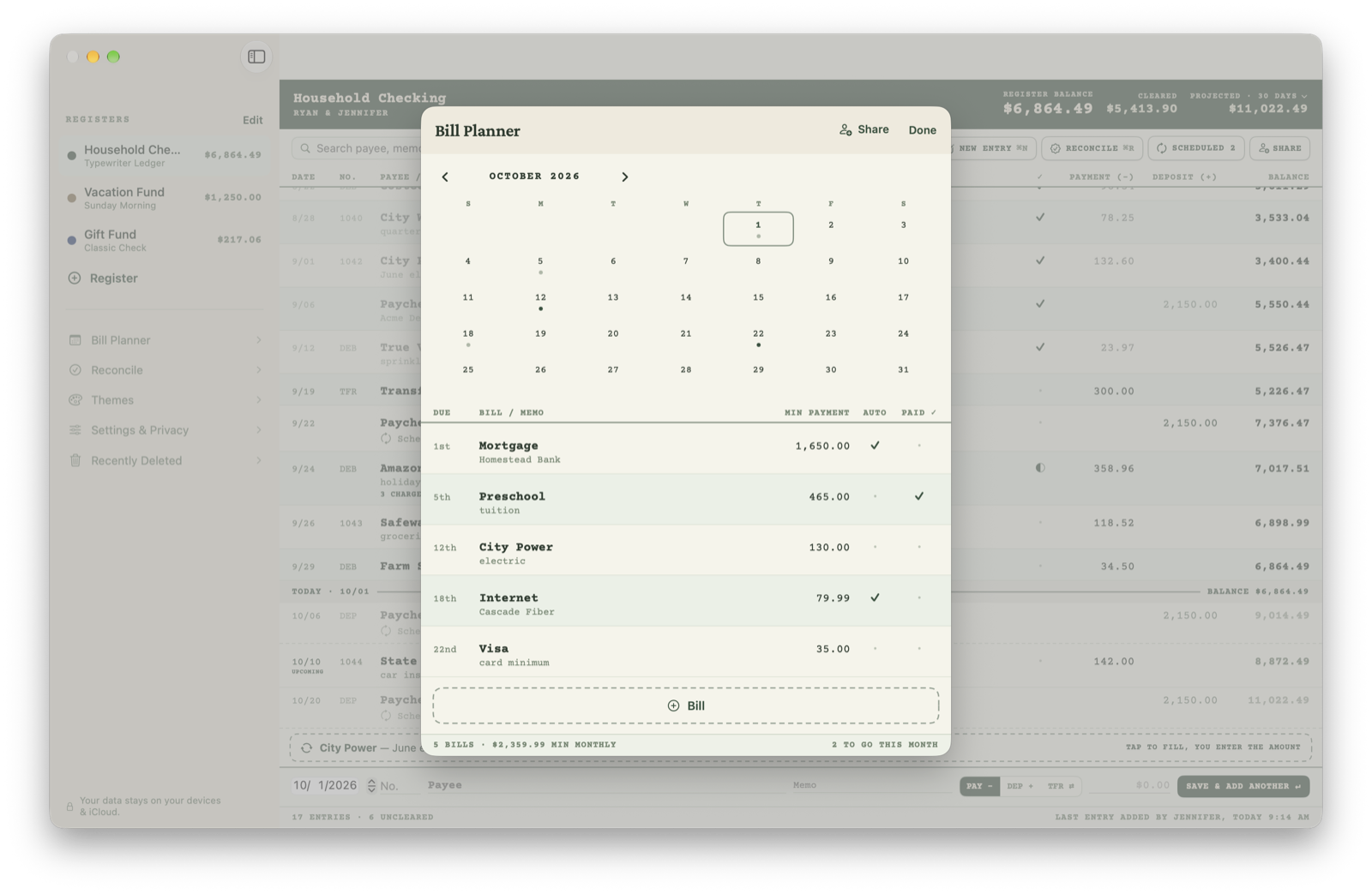
List your monthly bills once — due date, minimum payment, auto-pay — and check them off as you pay. A month calendar shows every due date, your register nudges you when a bill is due this week, and recording the payment checks the bill off automatically.
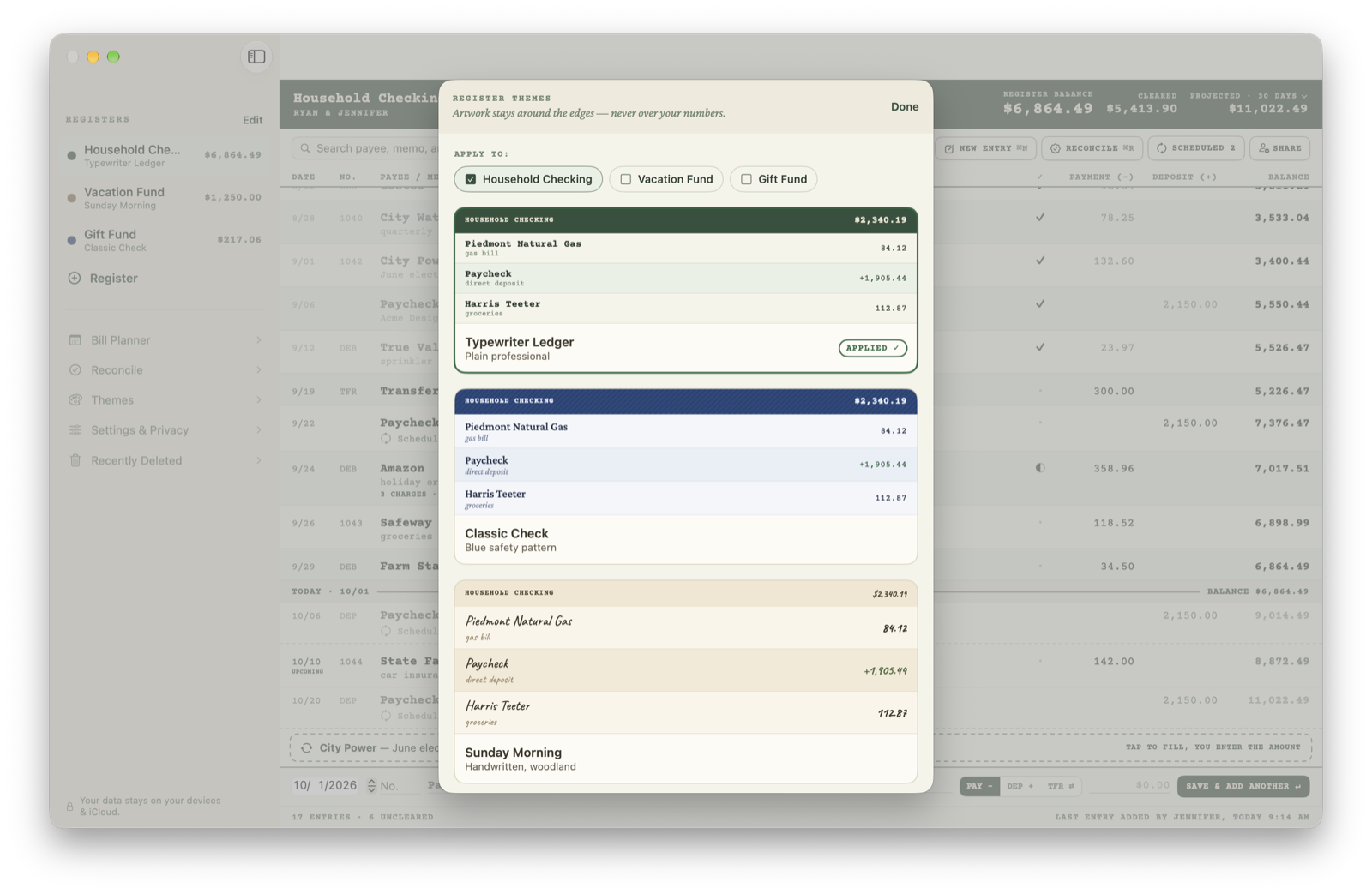
Remember picking your checks? Choose a cover — the artwork stays around the edges, never over your numbers.
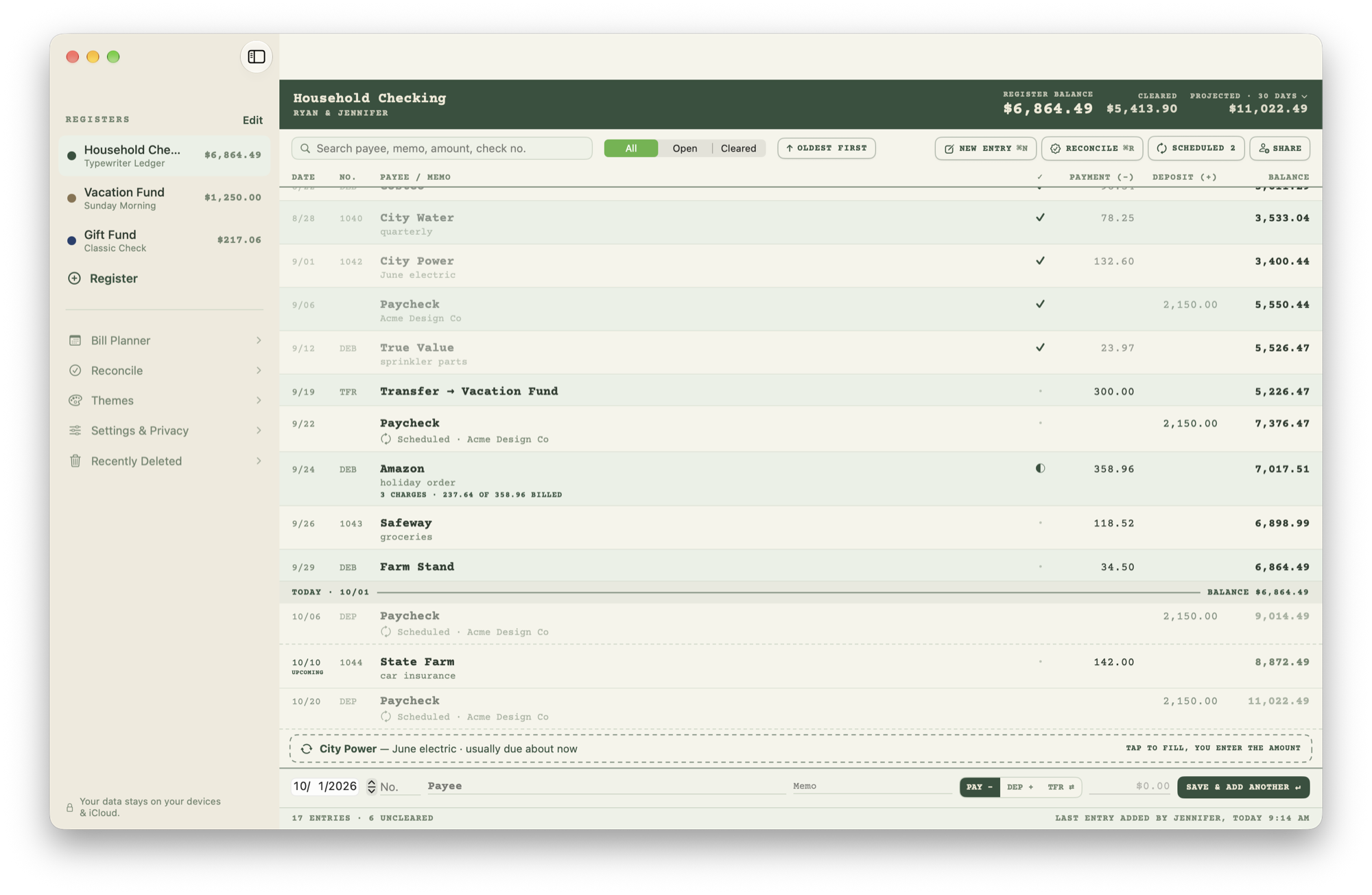
A real Mac app with a sidebar for every register. Keyboard-speed entry with ⌘N, reconciliation with ⌘R, and printable register pages. The desk where the checkbook actually gets balanced.
See how to set up and use a checkbook register on Mac, including CSV import, reconciliation and printing.


We collect nothing. There is no Simple Register account, no server of ours holding your money's story. It's yours.
Simple Register is for people who want an easy register for their checking account: enter what comes in and goes out, keep track of checks that haven't cleared, and know where the balance stands.
No. You enter transactions yourself or import a CSV file. Simple Register never asks for bank credentials and doesn't use Plaid. You can keep records on one device in local-only mode, or use your private iCloud account to sync and share.
Yes. Invite someone in your household through iCloud with view-only or edit access. You can use the same register on your own iPhones, iPads, or Macs, and each entry shows who added it.
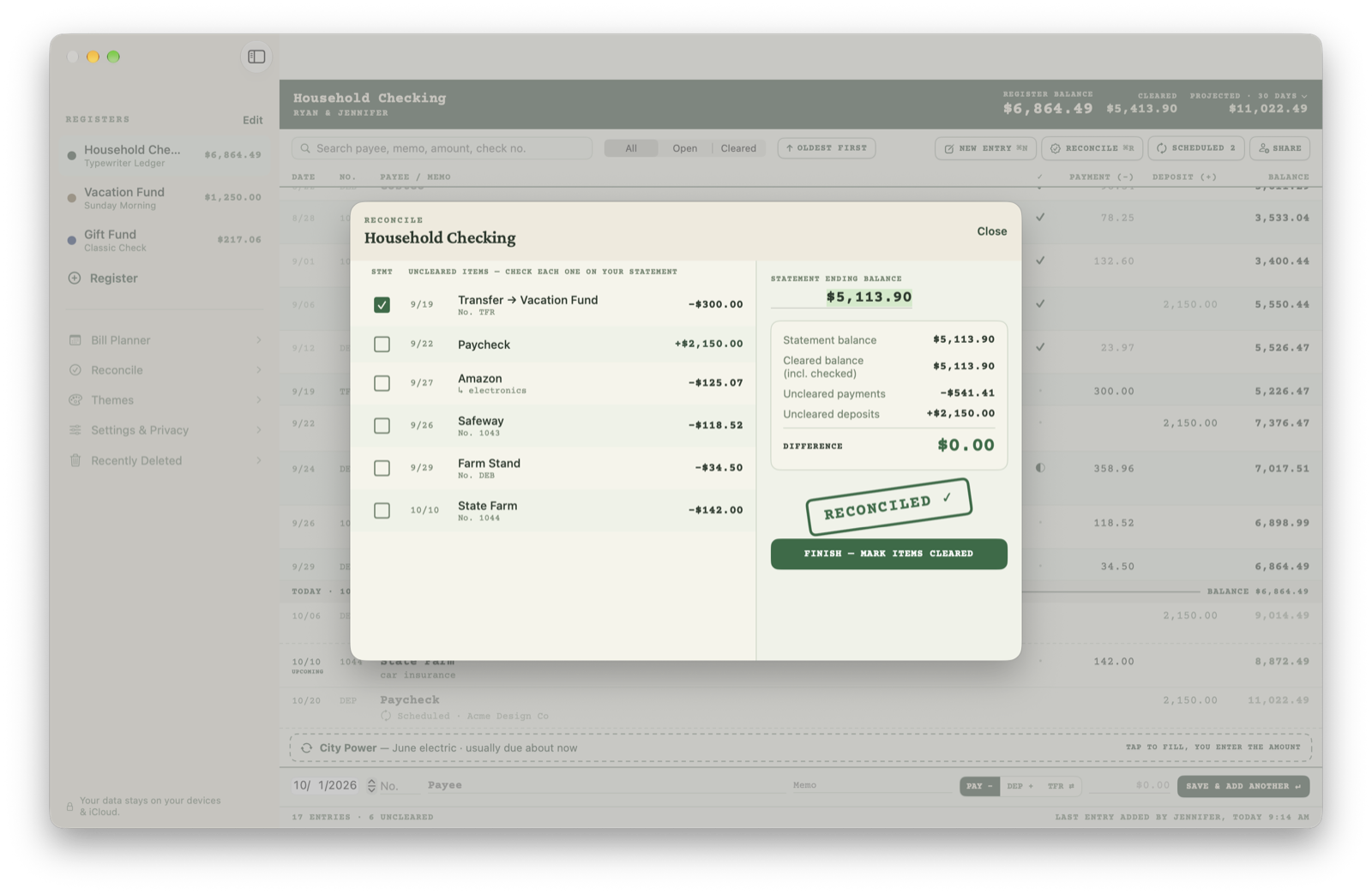
Your register may include a check or payment that hasn't cleared yet. Simple Register shows running and cleared balances separately, so you can match the cleared transactions to your statement without losing track of what's still outstanding. See a worked example and our step-by-step reconciliation guide.
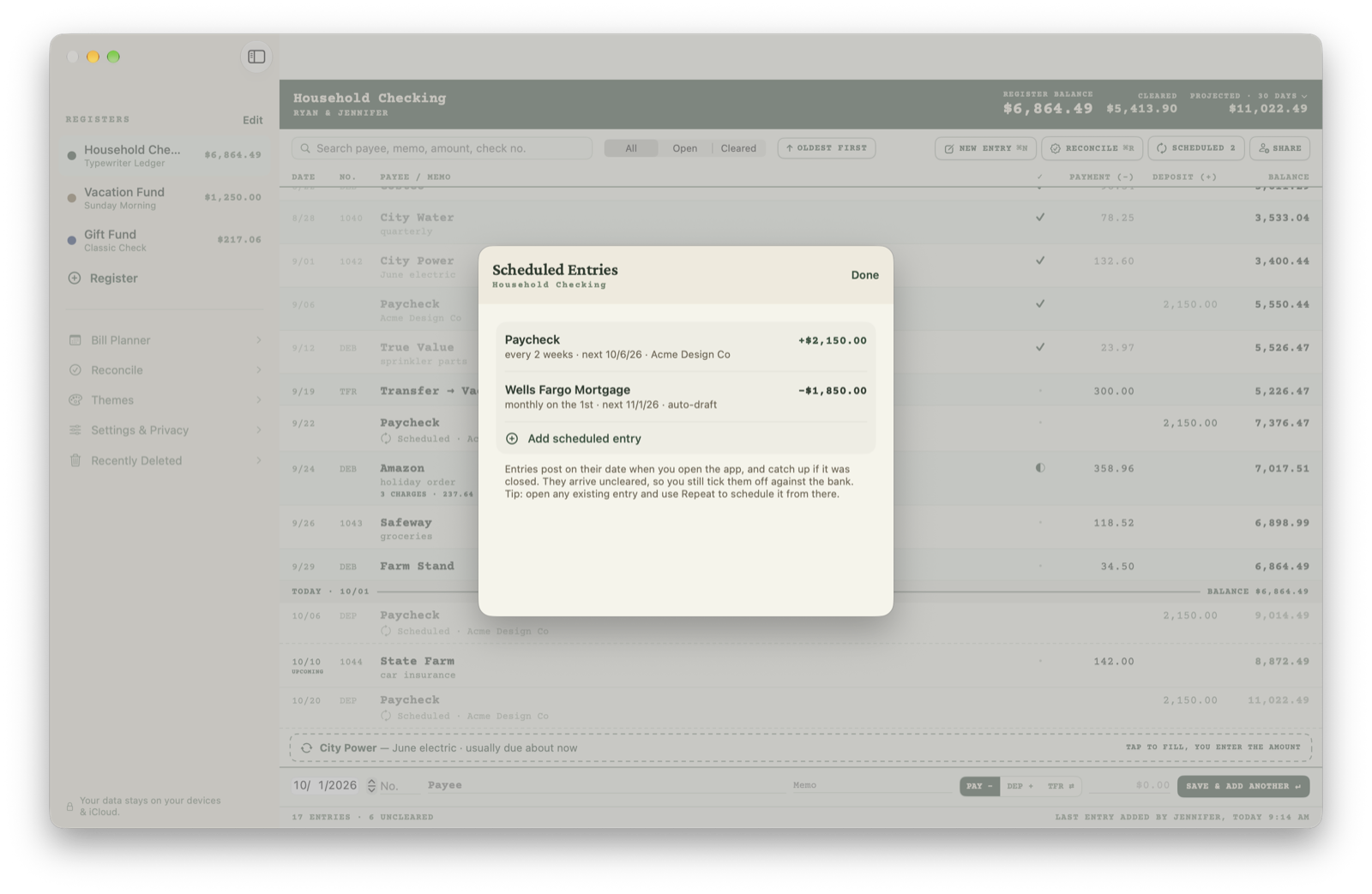
Yes. Keep separate registers for different accounts or household funds. Schedule payments and deposits weekly, every two weeks, monthly, quarterly, or yearly. Due entries are added when you open the app. The Bill Planner keeps due dates together, and projected balances show the next 30, 60, or 90 days.
Simple Register is free to download, with a seven-day free trial and a $9.99 one-time in-app purchase to unlock it permanently in the U.S. There is no subscription. Optional tips never unlock features. Existing paid owners keep full access without another purchase. It's available for iPhone, iPad, and Mac. There isn't an Android, Windows, or web version. Check the App Store listing for current regional pricing and device requirements.